
Private and sustainable email plans
Every plan includes a 30-day free trial – no credit card required
Save on our popular 3-year plans
Medium 3-year plan
€3.33/month | €39.98/year
- 25 GB email storage space
- 2 GB file storage space
- 10 email domain names
- 100 aliases @runbox domains
- Unlimited aliases on your domains
€119.95 billed for 3 years — save €29.90
Max 3-year plan
€5.28/month | €63.32/year
- 50 GB email storage space
- 5 GB file storage space
- 25 email domain names
- 100 aliases @runbox domains
- Unlimited aliases on your domains
€189.95 billed for 3 years — save €49.90
Main account pricing
Find a sustainable, secure, and private plan for your needs
| Main Accounts | Micro | Mini | Medium | Max | Max100 | Max250 |
|---|---|---|---|---|---|---|
| Price |
€1.66
per month
€19.95 per year
€1.66
Save €9.90
€49.95 per 3yr |
€2.91
per month
€34.95 per year
€2.91
Save €19.90
€84.95 per 3yr |
€4.16
per month
€49.95 per year
€4.16
Save €29.90
€119.95 per 3yr |
€6.66
per month
€79.95 per year
€6.66
Save €49.90
€189.95 per 3yr |
€10.00
per month
€119.95 per year
€10.00
Save €74.90
€284.95 per 3yr |
€15.00
per month
€179.95 per year
€15.00
Save €114.90
€424.95 per 3yr |
| Email storage | 2 GB | 10 GB | 25 GB | 50 GB | 100 GB | 250 GB |
| File storage | 200 MB | 1 GB | 2 GB | 5 GB | 10 GB | 25 GB |
| Email domains | 1 | 5 | 10 | 25 | 50 | 100 |
| Aliases @runbox | 100 | 100 | 100 | 100 | 100 | 100 |
| Aliases on own domain | Unlimited | Unlimited | Unlimited | Unlimited | Unlimited | Unlimited |
| Message size | 100 MB | 100 MB | 100 MB | 100 MB | 100 MB | 100 MB |
| Incoming messages (daily) | 5000 | 5000 | 5000 | 5000 | 5000 | 5000 |
| Outgoing messages (daily) | 500 | 500 | 500 | 500 | 500 | 500 |
| Sign up | Free trial | Free trial | Free trial | Free trial | Free trial | Free trial |

Not sure which plan is right for you?
Boxy can help you find the right plan based on your needs, explain what’s included, and answer questions about pricing, trials, and subscriptions · ask Boxy
Tailored email solutions
Mix and match plans that suit your needs
Your Main Account is the foundation of your email experience and provides you with all premium features. With a Main Account you can create and manage multiple additional Subaccounts—ideal for teams, departments, or family members—under a single billing plan.
Additional subaccount pricing
Add and manage accounts for family members or teams
Adding Additional Accounts to your Main account is a cost-effective way to provide full-featured email accounts for everyone. You’ll enjoy simplified billing and management—all at a lower total cost than purchasing multiple standalone accounts.
| Additional Accounts | Micro | Mini | Medium | Max | Max100 | Max250 |
|---|---|---|---|---|---|---|
| Price |
€0.66
per month
€7.95 per year
€0.66
Save €2.90
20.95 per 3 yrs |
€1.25
per month
€14.95 per year
€1.25
Save €5.90
38.95 per 3 yrs |
€2.08
per month
€24.95 per year
€2.08
Save €11.90
62.95 per 3 yrs |
€3.33
per month
€39.95 per year
€3.33
Save €22.90
96.95 per 3 yrs |
€5.00
per month
€59.95 per year
€5.00
Save €39.90
139.95 per 3 yrs |
€8.33
per month
€99.95 per year
€8.33
Save €74.90
224.95 per 3 yrs |
| Email storage | 2 GB | 10 GB | 25 GB | 50 GB | 100 GB | 250 GB |
| File storage | 200 MB | 1 GB | 2 GB | 5 GB | 10 GB | 25 GB |
| Aliases @runbox | 100 | 100 | 100 | 100 | 100 | 100 |
| Aliases on own domain | Unlimited | Unlimited | Unlimited | Unlimited | Unlimited | Unlimited |
| Message size | 100 MB | 100 MB | 100 MB | 100 MB | 100 MB | 100 MB |
| Incoming messages (daily) | 5000 | 5000 | 5000 | 5000 | 5000 | 5000 |
| Outgoing messages (daily) | 500 | 500 | 500 | 500 | 500 | 500 |
| Sign up | Free trial | Free trial | Free trial | Free trial | Free trial | Free trial |
Plan calculator
Additional Email Domain Hosting
All plans include the ability to host at least one of your own custom domains. If you need to host more than the number of domains your plan allows, you can increase your domain limit with the Email Hosting add-on.
Host additional email domains — great for a side project, business, or family member
Same unlimited aliases and full features as your primary domain
Applies to your Main Account and works across every account in your subscription
How do Runbox subscriptions work?
Every new Runbox account begins with a free trial, so you can explore all the features risk-free.
You can skip the trial and pay for your selected plan right after signing up, and still receive your first month free.
Subscriptions are billed annually. 3-year discounted plans are billed every 3 years.
How does the free trial work?
Every new Runbox account starts with a free 30-day trial so you can try the service before committing. No payment details are required to start. If you decide to subscribe during the trial you’ll still get the full free month — so you never lose any of your trial period. We also offer a 60-day full refund policy, so if you subscribe and change your mind you can request a full refund within 60 days. At the end of the trial, if you haven’t subscribed, your account will be suspended but not immediately deleted, giving you time to decide.
Which plan is right for me?
Medium Plans: Designed for everyday use, offering ample email and file storage. Suitable for most users – a balanced plan with flexibility and room to grow.
Max Plans: Built for professionals and businesses requiring maximum storage and advanced features. Perfect for users who demand more from their email service, with expanded storage and robust capabilities.
Use our Plan Calculator above to find the perfect fit.
What are the Runbox account quotas?
Disk Usage
Your storage quota depends on the type of subscription purchased, while trial accounts have 100 MB storage space for email and 10 MB for files.
The disk usage meter in Webmail shows you how much storage space you are using. If you reach 100% disk usage your incoming email will be returned to sender.
Bandwidth Usage
The bandwidth quota restricts how much email your account can receive, relay, and deliver, and is separate from your storage quota. This means that all transfer of data to and from your account is measured, specifically:
- Web: Messages sent from your Runbox account, and attachments downloaded and uploaded via your browser.
- POP/IMAP: Messages downloaded to your client.
- SMTP:
- Incoming: Messages received to your Runbox account from other email addresses.
- Outgoing: Messages sent from your client to other email addresses.
The bandwidth quota for subscriptions is 10 GB per week, while the quota for trial accounts is 250 MB per week.
The bandwidth usage meter in Webmail shows how much bandwidth you have used thus far this week. You can also receive daily bandwidth summaries by going to the Account page and activating the “Send bandwidth summary” option.
Bandwidth counters are reset 00:00 GMT every Monday. If you exceed your bandwidth quota, incoming messages will be returned to sender. It is currently not possible to purchase more bandwidth, but you can upgrade to another subscription plan to increase it.
Incoming Message Number Limit
There is a limit of 5000 incoming messages per account per day to prevent excessive usage. Accounts found to be over this limit are automatically blocked from receiving more mail until the next day (CET). Messages sent to your account while it is blocked are bounced back to sender. Customers can contact support to request a reset of the incoming message counter.
Outgoing Message Number Limit
This is the total number of message recipients you can send to each day. If you send 1 message to 5 people that is 5 recipients. Similarly 5 different messages to with only 1 recipient each is also 5 recipients. If you send a message to more than one person at the same time, Runbox still has to process those messages separately and this is why we count all addresses that we have to deliver messages to.
The current limit on the number of outgoing messages (recipients) is 500 per day.
Trial accounts may only send to 20 recipients per day. Please note that when a trial account is subscribed to, there is an 8 hour delay before the new sending quotas take effect.
Recipient Per Message Limit
There is currently a limit of 300 recipients per outgoing message. To prevent spam attempts, trial accounts are limited to 20 recipients per day, but messages are also subject to spam filtering.
Message Size Limit
The maximum size of messages sent via Runbox, including all attachments, is 130 MB. This equals about 100 MB in size before uploading the file(s) to an email due to message encoding.
POP Login Limit
There is a limit of 2000 logins per day via POP. Once that limit is reached the account will not be allowed to login to the POP until the next day (CET). This typically happens if an email client is configured to check for new mail too frequently.
Additionally, if an email client logs in less than 3 minutes since the previous login, the server will report that there’s no new email to prevent excessive system resource usage.
How do I migrate from another provider?
Moving to Runbox is straightforward and involves two steps: setting up your account and importing your existing email. If you’re using a custom domain, you’ll update your DNS records to point to Runbox — we’ll walk you through exactly what’s needed. Then use our IMAP Import tool to bring your existing messages across without deleting anything from your old account. We support migration from all major providers including Gmail, Outlook, Yahoo, iCloud, and GMX. Imports can take anywhere from a few minutes to several hours depending on how much email you have. If you’d prefer we handle it for you, Runbox Support can complete the migration on your behalf for an additional fee — contact mail@support.runbox.com for a quote. For full step-by-step instructions, visit our migration guide in the Help Centre.
How do I set up accounts for my family or team?
Start by creating your Main Account, which acts as the hub. As the Main Account holder, you have full administrative control — creating and deleting Subaccounts, assigning domains, managing billing, and setting passwords and aliases for everyone on the plan.
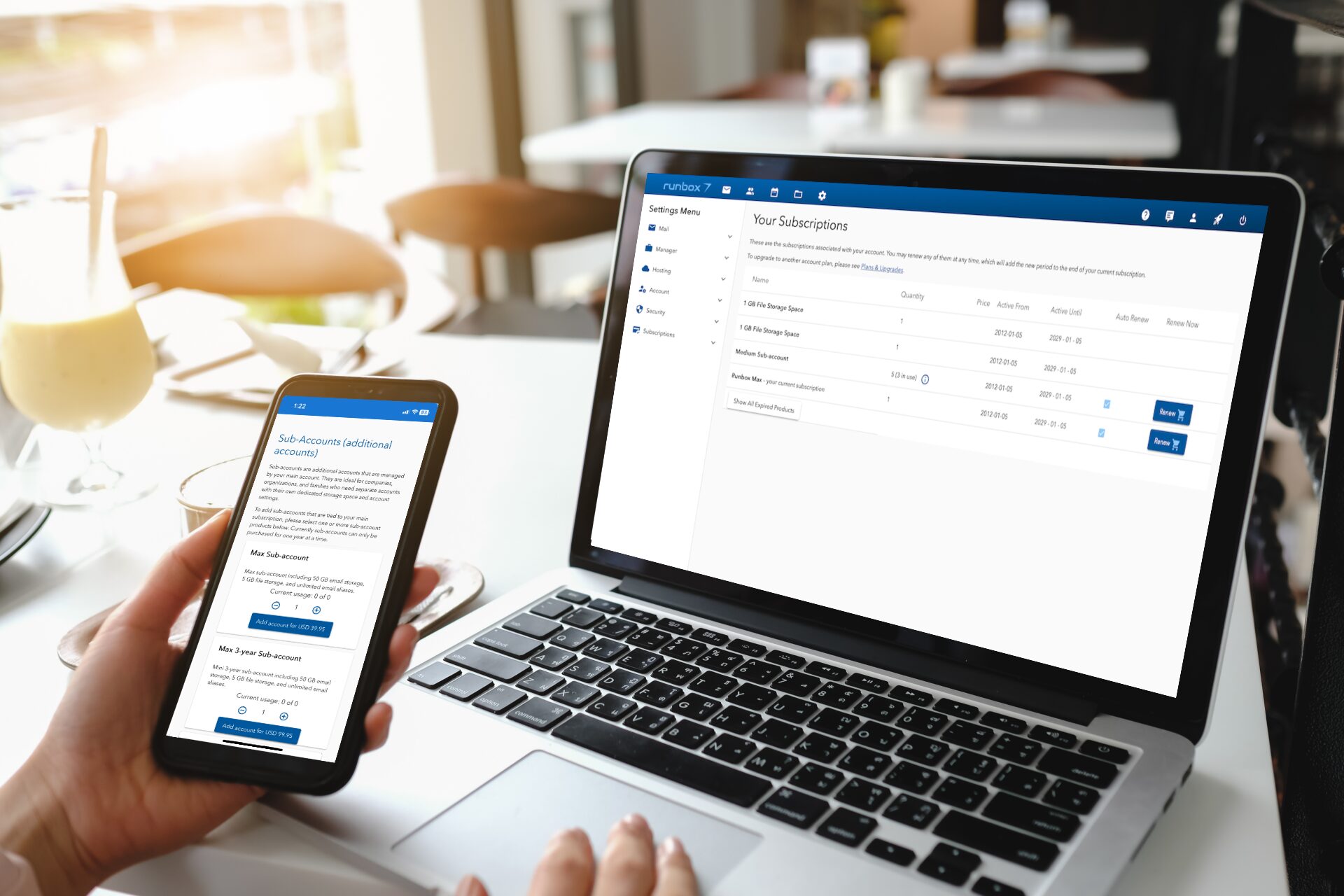
To add a Subaccount, log in to your account and go to Plans in the upper right menu, select a subaccount plan, add it to your cart, and complete checkout. Each Subaccount operates independently — with its own email storage, domains, and settings — but is billed and managed together through the Main Account. Subaccounts are cheaper than standalone accounts, and you can add as many as you need, adjusting or choosing a different plan for each at any time.
How do I upgrade my Runbox account?
You can upgrade your Runbox account at any time by logging in and visiting the Plans & Upgrades page. Select the plan that suits your needs and follow the steps to subscribe. If you are on a free trial, upgrading will activate your chosen plan immediately and your trial period will be applied as your first month.
What payment methods do you accept?
Payment cards, PayPal and digital wallets
We currently accept Visa, Mastercard, American Express and Discover cards. We use Stripe as our payments partner and you may see other options available that are specific to your device and region.
This is our preferred payment methods as we can process these payments automatically and they can be used for automatic renewal of your subscription.
Pre-paid cards from the issuers above may also be accepted for payment. However, some providers of pre-paid cards do have restrictions that might affect whether our payment processor (Stripe) is able to process your particular card.
If your card is declined by your bank, you should contact them and ask them to allow the payment.
Crypto currency
We accept payment by Coinbase. You can choose this option during the payment process on our website. See all the supported currencies at www.coinbase.com.
Bank transfers
Runbox accepts payment via direct bank transfer in US Dollars, Euro and Norwegian Krone. To pay using this method complete the payment process choosing “Pay with other methods”. Once you have completed the process you will be given a transaction ID and our bank details so you can make the transfer.
Please consult your bank on the best and most cost effective way to make the transfer.
Note: Bank transfers can take a number of days to reach or and be processed. If you have to pay us this way, please pay or renew as early as possible before the expiration date of your account, otherwise your account may expire while you are waiting for your transaction to be processed.
Cash
Cash is sent via regular mail at your own risk, and is not recommended.
We can advise you on which currency to send if you contact use via our support center first.
Note: Be advised that payments sent by regular mail may be delayed or lost, and that they require manual processing. Therefore you should send such payments well ahead (at least 3 weeks) of your trial or subscription period’s expiration. You may avoid delays and service disruptions by scanning (or taking a picture of) the payment prior to sending it in the mail, and emailing it to support@runbox.com.
How do I add a custom domain?
You can add a custom domain to your Runbox account to use your own domain name for email addresses.
What can I do with a custom domain?
- Create email addresses using your domain (e.g.,
contact@yourdomain.com). - Set up unlimited email aliases on your domain.
- Use your domain for all accounts under your Runbox subscription.
Read more about how to set up a custom domain.
How do I cancel my account?
To close your Runbox account, email mail@support.runbox.com or raise a ticket at support.runbox.com.
Account data is retained for a period after closure as required by Norwegian bookkeeping law. You can request immediate deletion by contacting Runbox Support. See our Privacy Policy for more information.